
Accessories
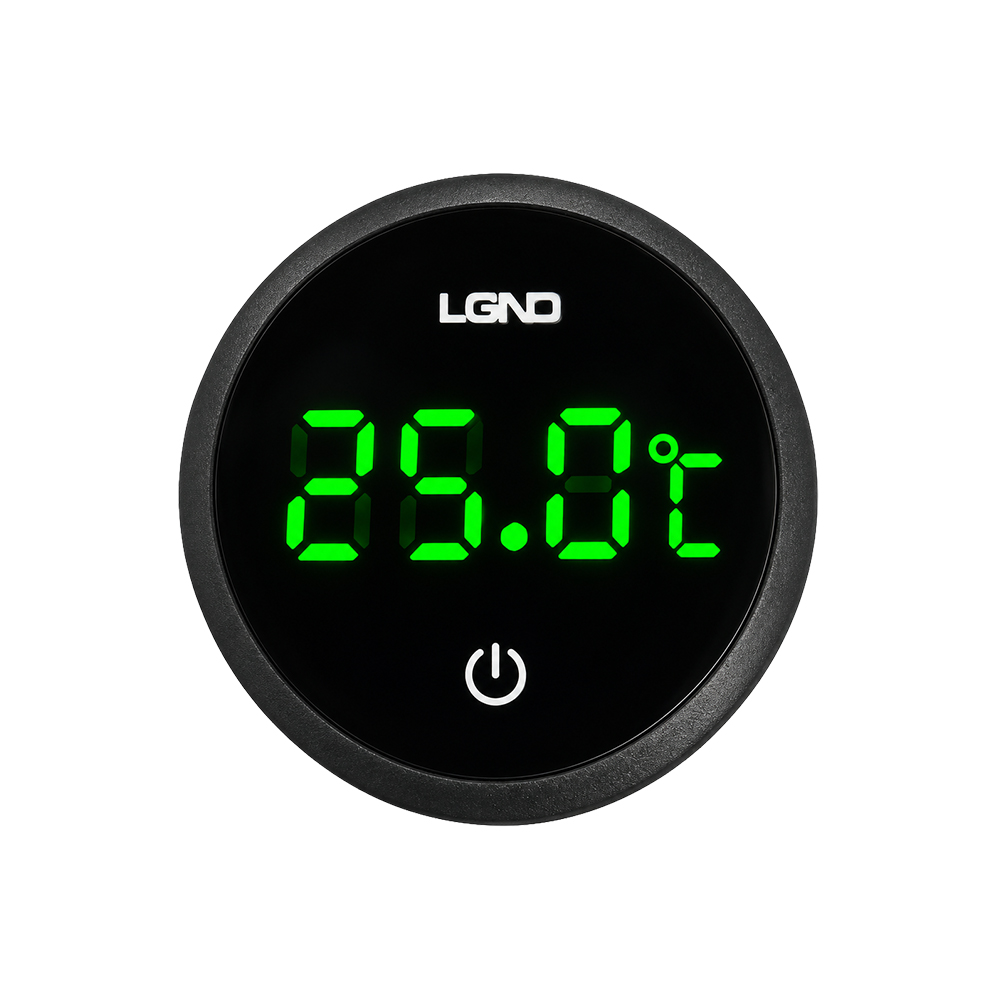
LGND Gradus™ Thermometer
Overview
Check your aquarium temperature with a tap. The LGND Gradus™ Digital attaches to the outside of the aquarium glass, below the waterline, and senses temperature through the pane. Bright green digits show the reading in degrees Celsius to one decimal place.
The compact, round housing fits neatly near a front corner, where you can read it during feeding or maintenance. The sensor, display and battery sit together in one unit, keeping the inside of the aquarium free of probes and cables.
Key Features
- Easy-to-read display. Green digits stand out against the black face. A light tap on the touch control illuminates the 38 mm display.
- External mounting. The rear adhesive pad holds the thermometer against the outside of the glass. You can check the temperature without lifting the lid or reaching into the water.
- Compact profile. The ABS housing is just 12 mm deep and weighs approximately 20 g, making it a practical fit for smaller aquariums.
- Automatic sleep. The display switches off after approximately five seconds to conserve battery power. Tap again whenever you want a reading.
- Replaceable battery. The Gradus™ Digital runs on one CR2032 coin cell, included in the box.
Technical Specifications
Directions
1. Choose a position.
Select a flat area on the outside of the front or side pane, below the normal waterline. For a clear view from the front, fit the thermometer near a front corner with the entire adhesive pad on one pane. Choose a spot away from direct sunlight and the heater.
2. Prepare the glass.
Wipe the mounting area clean and dry. Check that the digits will be upright and visible from your usual viewing position before peeling off the backing.
3. Attach the thermometer.
Remove the protective liner from the rear adhesive pad. Place the thermometer flat against the glass and press gently for even contact.
4. Take a reading.
Allow the thermometer to settle to the temperature of the glass after fitting. Tap the power symbol to illuminate the display. It goes dark after approximately five seconds. Tap again for another reading.
FAQ
Can I fit it to a side panel?
Yes. Choose a flat section below the waterline. Mounting it close to the front corner makes the display easier to see while keeping the front pane clear.
Does it need a probe, cable or app?
The sensor is built into the unit and takes its reading through the glass. The thermometer runs on its own battery and shows the temperature directly on the display.
Can I use it on a freshwater or marine aquarium?
Yes. It mounts on the outside of a glass aquarium, so the sensor stays separate from the water in either setup.
Why might the reading differ from a thermometer inside the tank?
The Gradus™ Digital senses temperature at the glass, while an immersed probe measures the water at its own location. If the readings differ, compare them at a similar depth, away from the heater, after both have had time to settle. Check that the Gradus™ sits flat against the pane.
How do I replace the battery?
Follow the OPEN marking on the rear battery cover. Fit one new CR2032 cell in the orientation shown inside the compartment, then turn the cover to CLOSE and check that it is secure.
Product Safety
- Mount the thermometer on the outside of the aquarium and keep the housing and battery compartment dry. Do not immerse the unit or rinse it under running water.
- Coin-cell battery hazard. Keep new and used batteries out of children’s reach. Stop using the thermometer if the battery cover cannot be secured. If you suspect a child has swallowed a battery, go straight to A&E or call 999 for an ambulance.
- If a reading is unexpected, confirm the water temperature with a second thermometer before changing the heater setting.